Imagine your project is completed on time and on budget, and you just submitted the final acceptance to the client. They look it over then pull out the contract and point to a small paragraph on page six. They say, “But you missed this requirement.”
Devastated, you go back to the project team and ask, “How did we miss this requirement?”
You are stunned by their reply, “Oh that. We didn’t think it was important, so we ignored it.”
I avoided this issue on my projects by creating a Requirement Traceability Matrix.
A Requirements Traceability Matrix (RTM) is a document that:
- Demonstrates the relationship between requirements and other artifacts
- Tracks requirements from initiation to delivery
- Is used to prove that requirements have been fulfilled
- Prevents any requirement from being missed and enables easy backtracking to the original requirement in case of defects
- Usually documents where the requirement is found, that is, the contract, a change order, or other document
- Records the location of the requirement in the test plan, test results, and any related issues
How to Create an RTM
This register is arguably one of the most important project documents because it manages the lifecycle from initiation to delivery of each individual requirement.
The RTM has no set structure and is customized and tailored to the needs of each individual project.
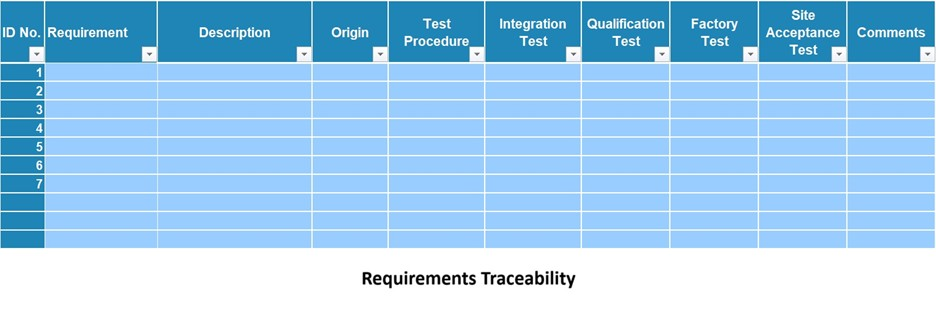
Use an Excel spreadsheet or MS Word to create your RTM. Create a spreadsheet or a table with the requirements listed in rows. Here are some common column headings:
- ID number
- Requirement Name
- Requirement Description
- Origin
- Test Procedure
- Integration Test
- Qualification Test
- Factory Test
- Site Acceptance Test
- Comments